
What SOFIT PAK is
This is neither software you have to install somewhere nor a cloud service you have to send your traffic to. It is a compact device that sits at your site and works inside your own perimeter.
- software modules included
- 9software modules included
- agents on employee computers
- 0agents on employee computers
- from unboxing to working monitoring
- 1 dayfrom unboxing to working monitoring
Hardware and software ship together
A hardware and software appliance is a device on which the manufacturer has already installed and configured everything. You do not have to pick a server, deploy an operating system, install an intrusion detection system, a separate vulnerability scanner, a separate integrity monitoring tool and then wire them together.
Separate products covering the same ground not only cost considerably more than the appliance, they also demand significant spending on hardware, system software and rollout. Here all of that has already been done at the factory.
Management runs entirely through the web interface: the administrator opens a browser, enters the device address and works. No console or command line is needed either for configuration or for updates.
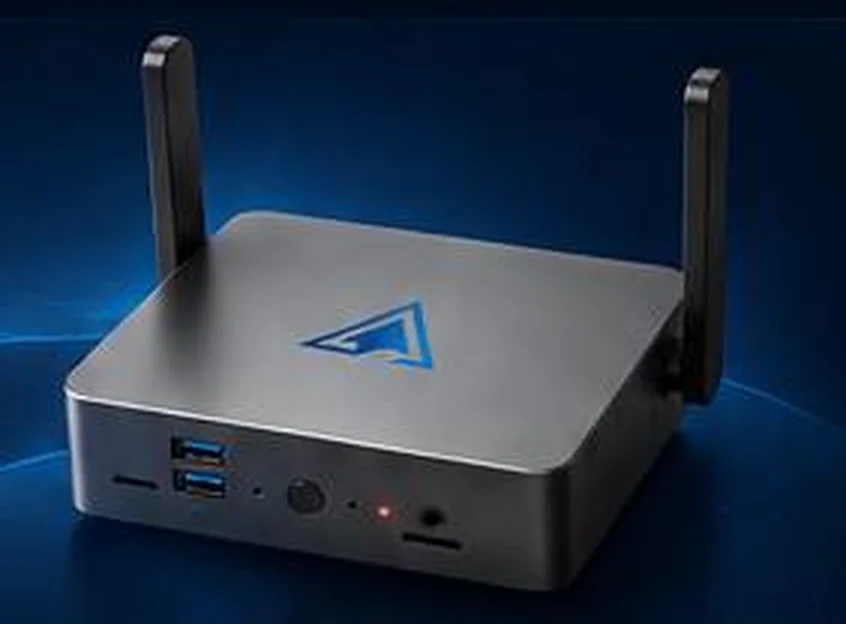
What is in the box
- The device
- A compact chassis that sits on a desk or a rack shelf. Two Wi-Fi antennas on the sides, a power button and a status indicator on the front panel.
- Power supply
- An external power supply with a cable is included. Runs from an ordinary 220 V socket, consumption no higher than 170 W.
- Preconfigured software
- Nine modules ready to work right after power on. The software boots in up to five minutes after power is applied.
- Licence and documentation
- An activation key with a stated term, a user manual and an operating manual. The licence state is visible in the interface for every module.
Nine software modules
Seven modules handle security tasks, two tie them together. They all share one view of the network and write into shared logs.
Security modules
- Traffic monitoringThe appliance inspects a copy of your traffic, matches it against a signature database and raises an alarm when something happens that should not.Learn more
- Vulnerability scannerThe appliance looks for what someone could walk in through: outdated versions, weak algorithms, forgotten services and systems that reached end of life.Learn more
- Network inventoryThe appliance regularly recounts what lives in your network and reports when the picture changes: a new host appeared, a new port opened, a device went missing.Learn more
- Intruder honeypotThe appliance deploys a decoy in your network. A legitimate employee has no reason to touch it, so any request is a signal: somebody is already inside and looking around.Learn more
- Wi-Fi securityYou can build a perfect wired perimeter and still have somebody's personal router standing next to the finance department. The appliance listens to the air and shows what is going on.Learn more
- File integrityA modified router config or a replaced executable on a server generates no suspicious traffic. They are found by comparison against a baseline.Learn more
- Reports and SIEMThe appliance does not try to replace your security operations centre. It delivers events where they are already collected, and writes directly to whoever is on duty today.Learn more
Service modules
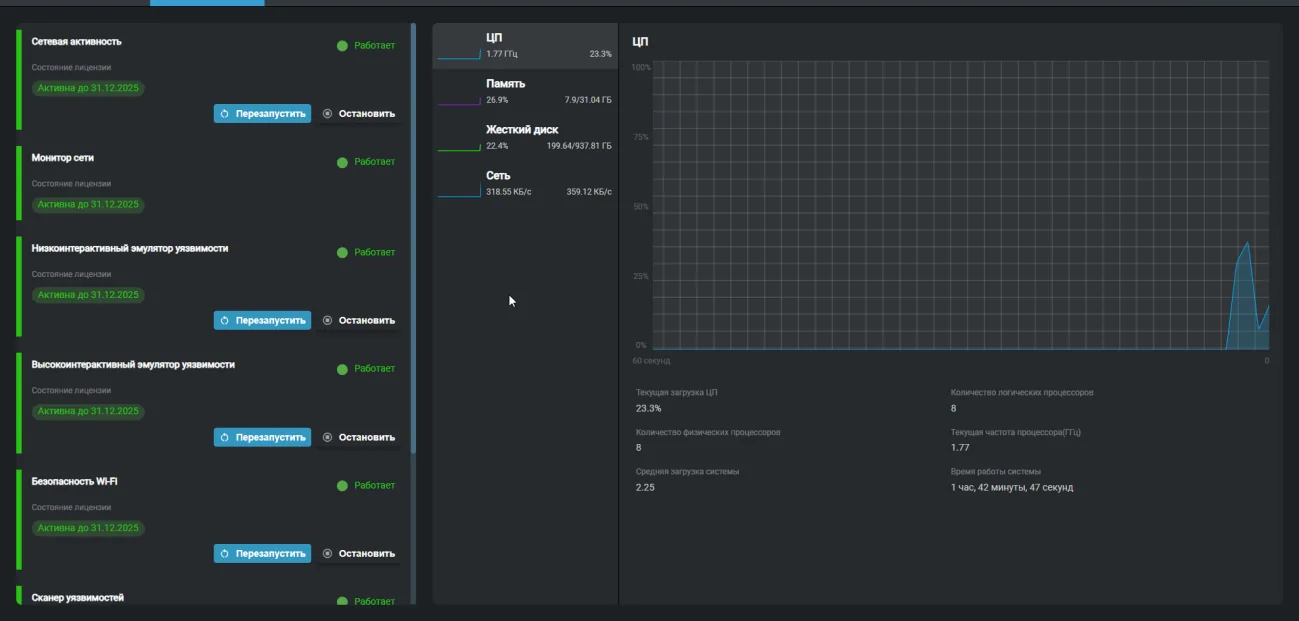
System state
The landing screen: the health of every module, its licence term and real time load of processor, memory, disk and network. Modules are restarted and stopped from here as well.
Analysis
Events from every module over the last 24 hours on one screen, with unread counters and a one click jump into the relevant log.
What working with the appliance looks like
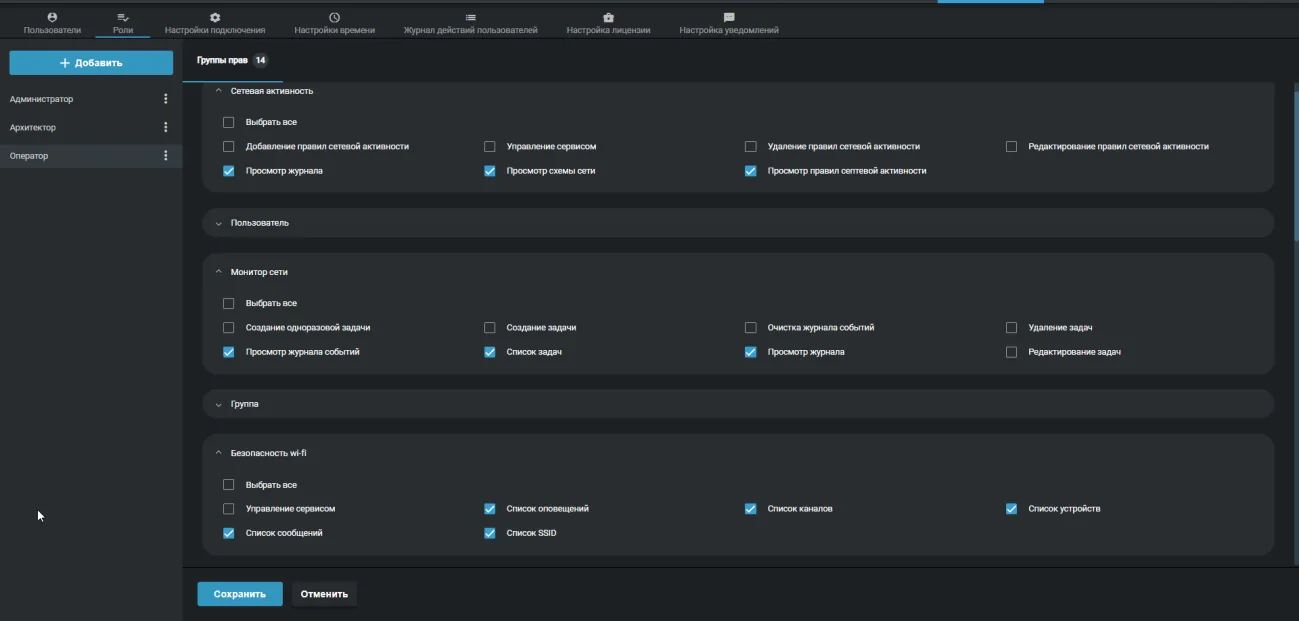
Access control and action logging
In the organisations that deploy this appliance it matters not only to see events but also to know which employee did what in the system.
Roles and permission groups
Permissions are grouped by module and granted one by one: view the log, create tasks, edit rules, manage the service, clear the event log. Ready made roles: system administrator, administrator, auditor, engineer, operator. You can create your own.
Accounts
The email address serves as the login. The password requires lowercase and uppercase Latin letters and non alphabetic characters, with a length from 8 to 200. A password issued by an administrator is temporary and is changed on first login.
User action log
Every action in the interface is recorded: who did what, from which address, at what time and with which response code. The log filters by time, user, action and status code.
Two editions of the appliance
The choice depends on how much traffic passes through the segment you place under observation.
SOFIT PAK
up to 2.5 Gbit/sThe base edition for office and flat networks: one site, one core switch, up to several hundred workstations.
- All nine software modules
- Two 2.5 Gbit network interfaces
- Built in wireless network monitoring
SOFIT PAK Pro
up to 30 Gbit/sThe edition for high load and multi tier networks: server clusters, distributed infrastructure, several sites.
- The same modules on a more powerful platform
- Operation in the network core with high traffic volume
- Combines with the base edition on remote sites
Both editions connect the same way, to a switch mirror port. We help pick the edition for a specific network during the quotation stage.
Origin and conformity
Platform
The appliance is built on the Innotech Network Monitor platform. Its developer, Innotech Solutions, is a resident of the High Technologies Park and a member of the Infopark science and technology association.
Conformity marks
The device carries the EAC and TR BY marks. The documentation includes a user manual and an operating manual.
Your data stays with you
The appliance works inside your own perimeter. Traffic, logs and scan results never leave the infrastructure and are not sent to the manufacturer.
We will prepare a quote for your network
Tell us about your infrastructure: how many sites, which switch sits in the core, whether you already run a SIEM. We will pick the edition and the connection scheme, and calculate the cost.
- We reply within one business day
- We design the connection scheme for your topology
- We show the interface on a live demo unit