
Network inventory and change control
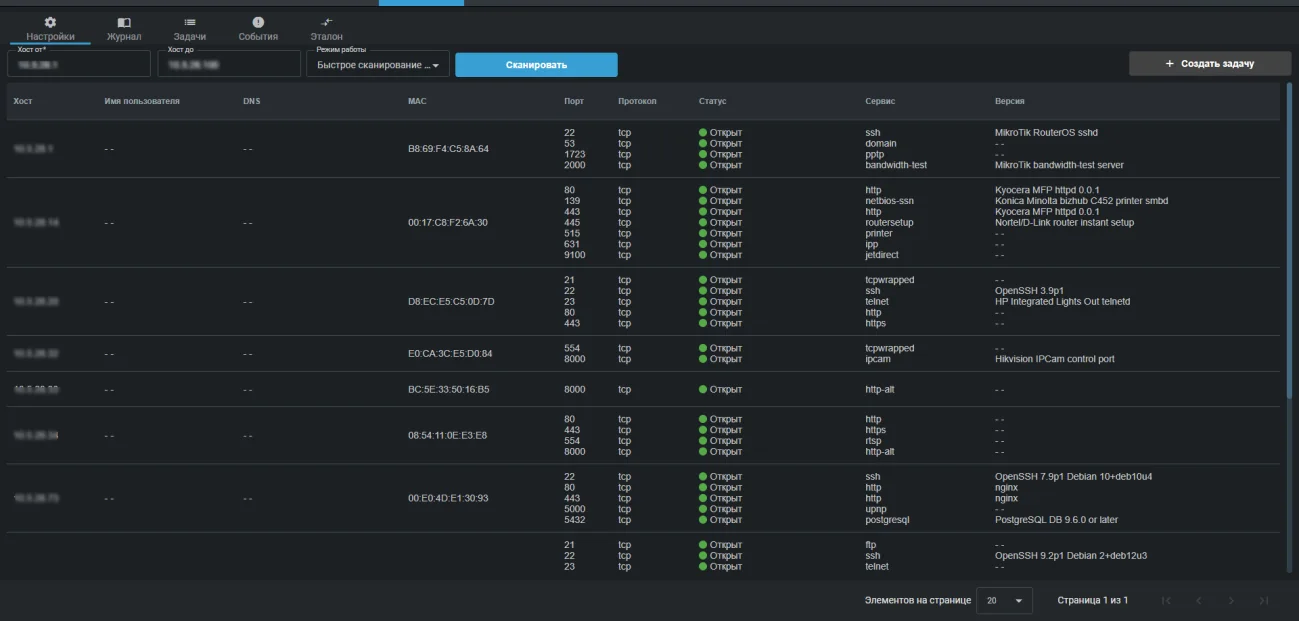
The appliance regularly recounts what lives in your network and reports when the picture changes: a new host appeared, a new port opened, a device went missing.
- ports in a full TCP scan
- 65,535ports in a full TCP scan
- scan profiles
- 8scan profiles
- arbitrary task schedules
- CRONarbitrary task schedules
How it works
An administrator sets an address range and a scan profile, then a schedule: every minute, hourly, daily, weekly or through an arbitrary CRON expression. After that the appliance works on its own.
The core idea of the module is the baseline. Any scan result can be declared a reference, and every later check will be compared against it. If no baseline is set, the result is compared against the previous scan. One baseline belongs to one task.
The outcome is not a list of addresses but an answer to the question of what changed since yesterday. This is exactly how you find devices connected without approval, ports accidentally exposed outside and services someone spun up in the middle of a working day.
Which changes are recorded
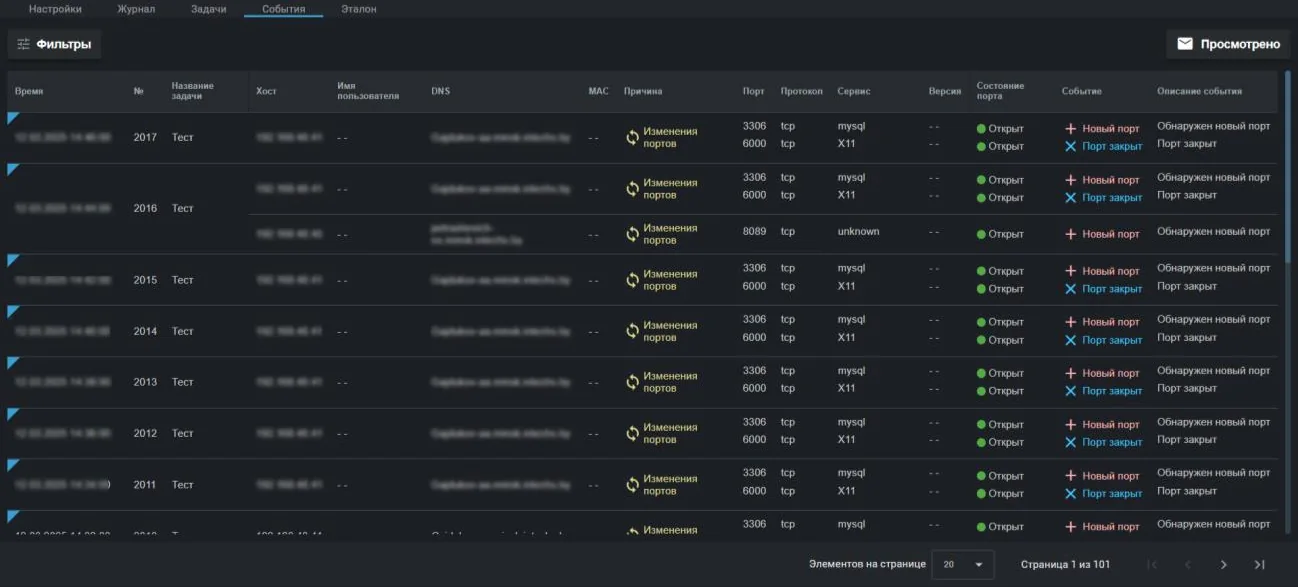
- New host discovered
- Port change
- Host disconnected
- New port
- Port closed
- Port state change
- IP address and domain name
- MAC address and username on the device
- Port number and protocol
- Port state: open, closed, filtered
- Service name and version
Scan profiles
Normal scan
The thousand most common ports, host discovery via ping. A sensible default.
Quick scan and quick scan plus
The hundred most common TCP ports. The plus variant also detects the operating system and service versions.
Intensive scan
Detection of the operating system type, services and their versions. There is a variant with UDP ports, a variant covering all TCP ports from 1 to 65535 and a no ping variant for hosts that block it.
Slow comprehensive scan
A thorough check with the widest set of parameters. For a planned audit rather than a daily schedule.
All capabilities of the appliance
Capabilities of the appliance- Traffic monitoringThe appliance inspects a copy of your traffic, matches it against a signature database and raises an alarm when something happens that should not.Learn more
- Vulnerability scannerThe appliance looks for what someone could walk in through: outdated versions, weak algorithms, forgotten services and systems that reached end of life.Learn more
- Intruder honeypotThe appliance deploys a decoy in your network. A legitimate employee has no reason to touch it, so any request is a signal: somebody is already inside and looking around.Learn more
- Wi-Fi securityYou can build a perfect wired perimeter and still have somebody's personal router standing next to the finance department. The appliance listens to the air and shows what is going on.Learn more
- File integrityA modified router config or a replaced executable on a server generates no suspicious traffic. They are found by comparison against a baseline.Learn more
- Reports and SIEMThe appliance does not try to replace your security operations centre. It delivers events where they are already collected, and writes directly to whoever is on duty today.Learn more
We will prepare a quote for your network
Tell us about your infrastructure: how many sites, which switch sits in the core, whether you already run a SIEM. We will pick the edition and the connection scheme, and calculate the cost.
- We reply within one business day
- We design the connection scheme for your topology
- We show the interface on a live demo unit