
A network shield and a vulnerability detector
One device connects to a switch mirror port and looks for attacks, vulnerabilities and unknown hosts around the clock.
- real time traffic analysis
- 24/7real time traffic analysis
- protection modules in one chassis
- 9protection modules in one chassis
- categories of security events
- 43categories of security events
Seven security tools instead of seven purchases
Each of these tasks is usually handled by a separate product with its own hardware, licence and rollout. In SOFIT PAK they are already assembled and tuned to work together.
It connects to a mirror port and never touches production traffic
The appliance works out of band. The switch copies traffic to a SPAN port, the appliance receives that copy for analysis, and filters or forwards nothing itself.
The traffic copy flows one way: the appliance only listens
LAN2 receives the copy · LAN1 management
Web interface, event export, notifications to the duty officer
Appliance out of band
- No impact on throughput or latency
- Sees all traffic in real time
- The network keeps running if the device is powered off
- Connected in a single visit, no topology changes
Security tool placed inline
- Adds latency and packet loss points
- A device failure stops the network
- Scaling requires redesigning the scheme
- Any maintenance means a downtime window
Why this matters more than it seems
Network engineers are rightly wary of putting a new device inline in a production network. Every such node becomes a point of failure: if it hangs or needs a reboot, the whole segment goes down. That is why rolling out this class of product usually stretches into months of approvals and night maintenance windows.
SOFIT PAK works differently. It connects to a mirror port and receives a copy of the traffic. Even if you pull its power cable in the middle of a working day, users will not notice anything: the network never knew the device was there. That is exactly why a pilot can start in a single visit rather than in a quarter.
The honest trade off of out of band deployment is this: the appliance does not block an attack itself. It sees it, classifies it and passes it on: to the duty officer in Telegram, to email and to your SIEM. Blocking stays with the firewall and the administrator, but now they know what is happening and from which address.
From a monthly chart down to a single byte
One web interface serves both the manager looking a month back and the engineer inspecting an individual packet. No external Wireshark needed.
- Network activity · Statistics
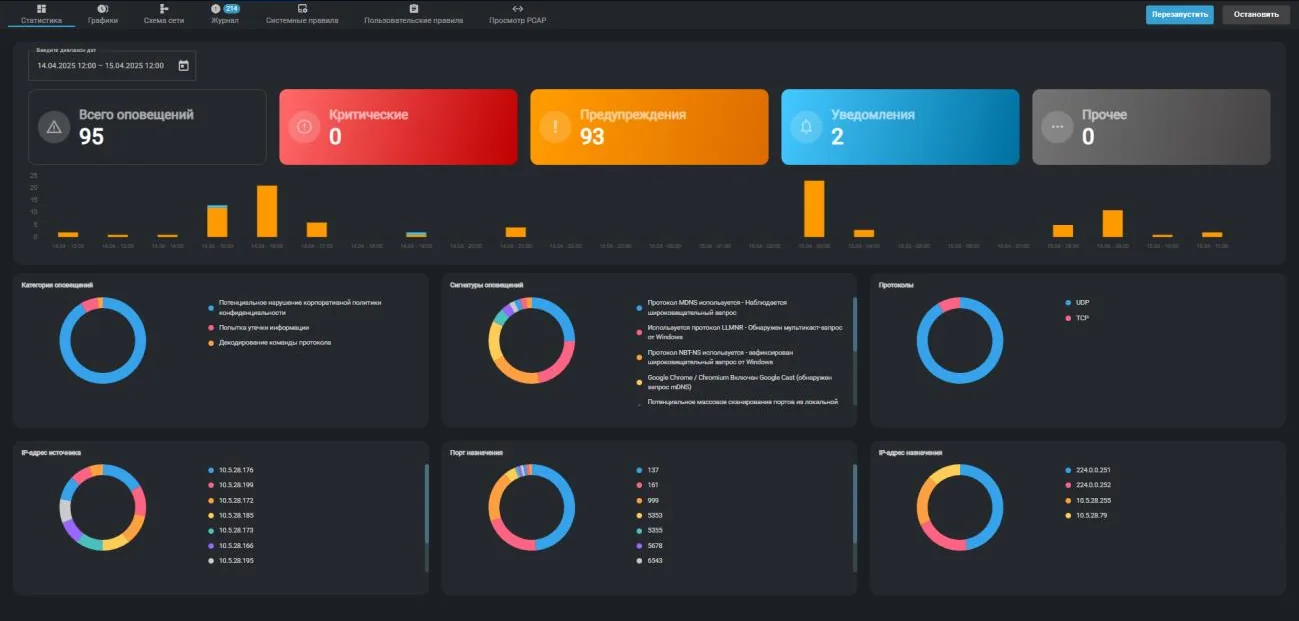
Event counters by severity, distribution over time and six charts: categories, signatures, protocols, addresses and ports. Clicking any segment opens the log filtered by it. - Network activity · Network map
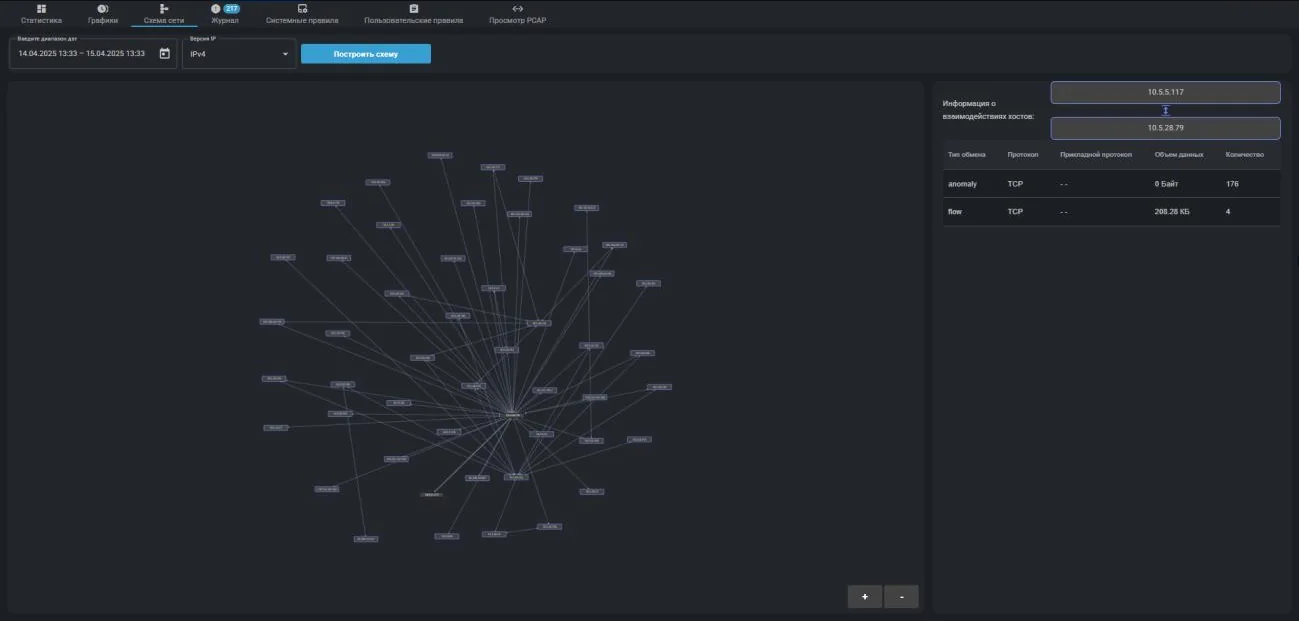
A live map of who talks to whom inside your network. Clicking a node highlights all of its peers, clicking a link shows the protocol and the volume transferred. - Network activity · PCAP viewer
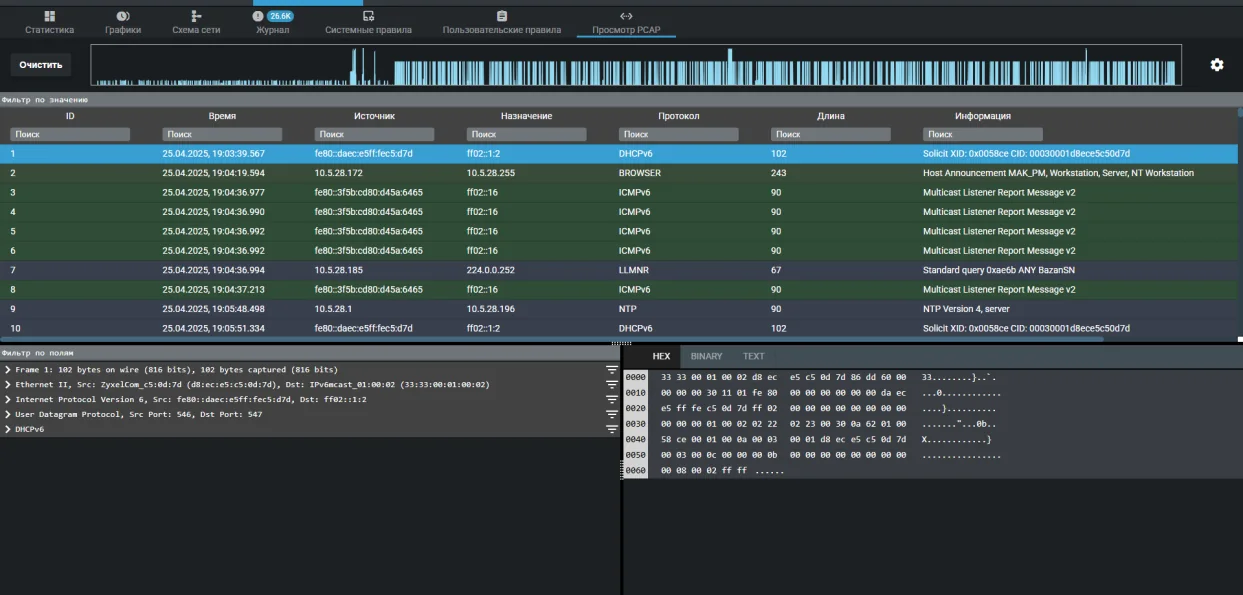
A built in packet analyser: frame table, protocol dissection tree and a HEX view of the bytes. The file opens straight from the alert log. - Vulnerability scanner · Threat card
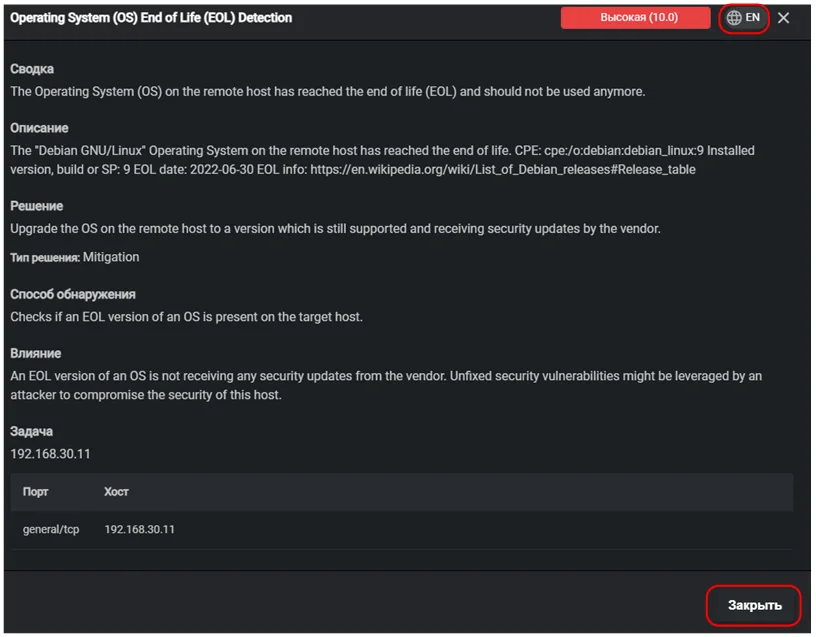
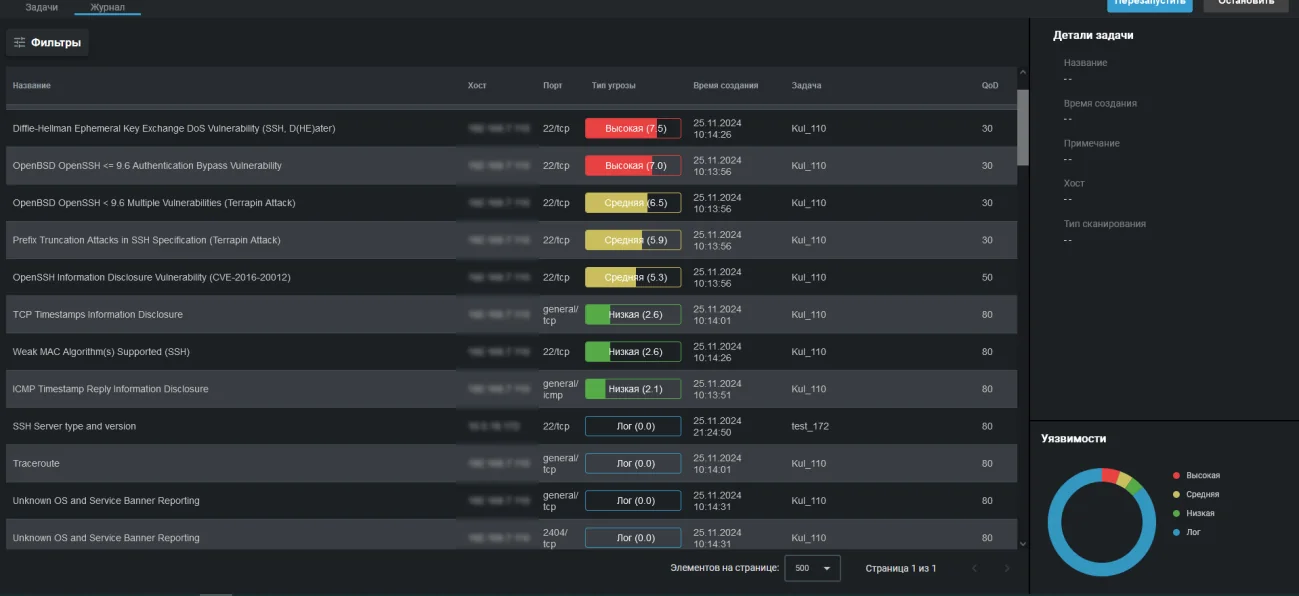
For every finding: summary, detailed description, impact on the infrastructure and a ready remediation step. The text switches between Russian and English. - Vulnerability emulator · Session console
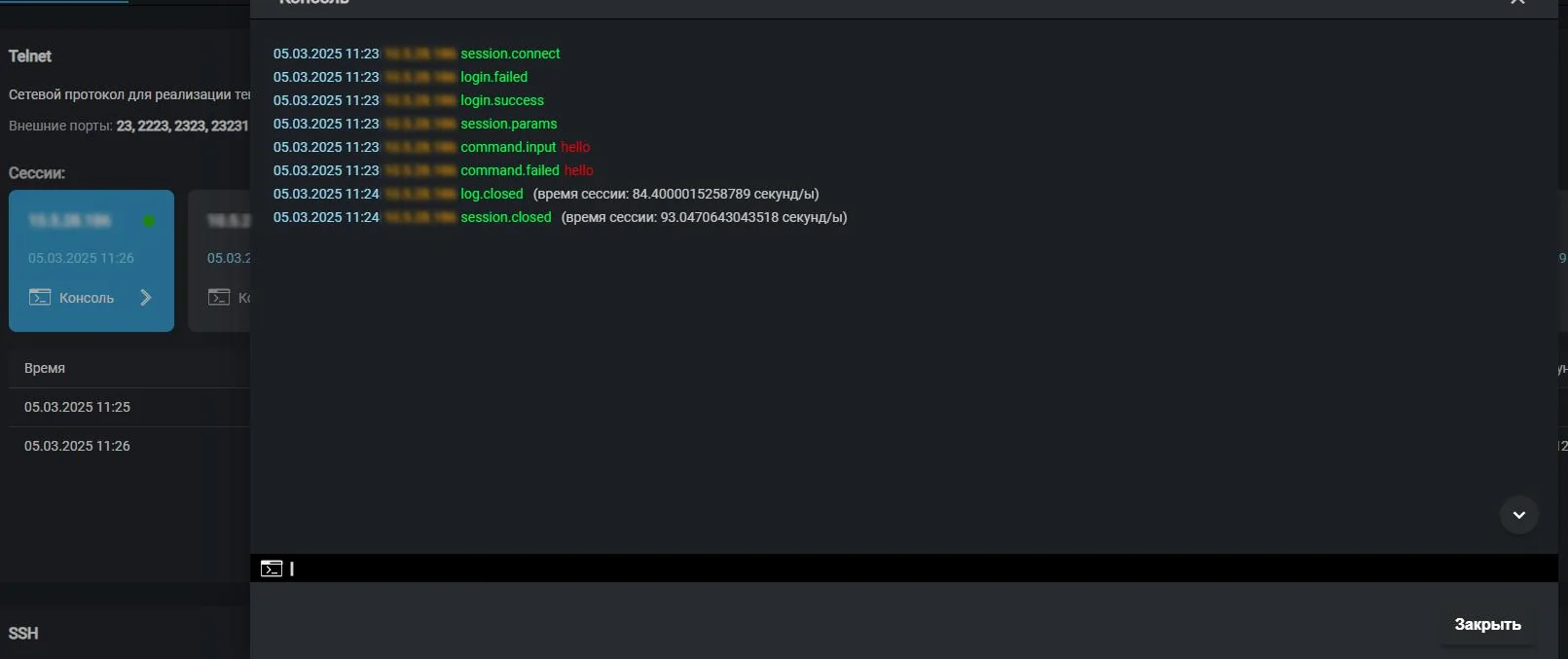
The honeypot records every command the intruder types and shows the session in real time. You can see which tools and tactics are in use. - Analysis · Events from all modules
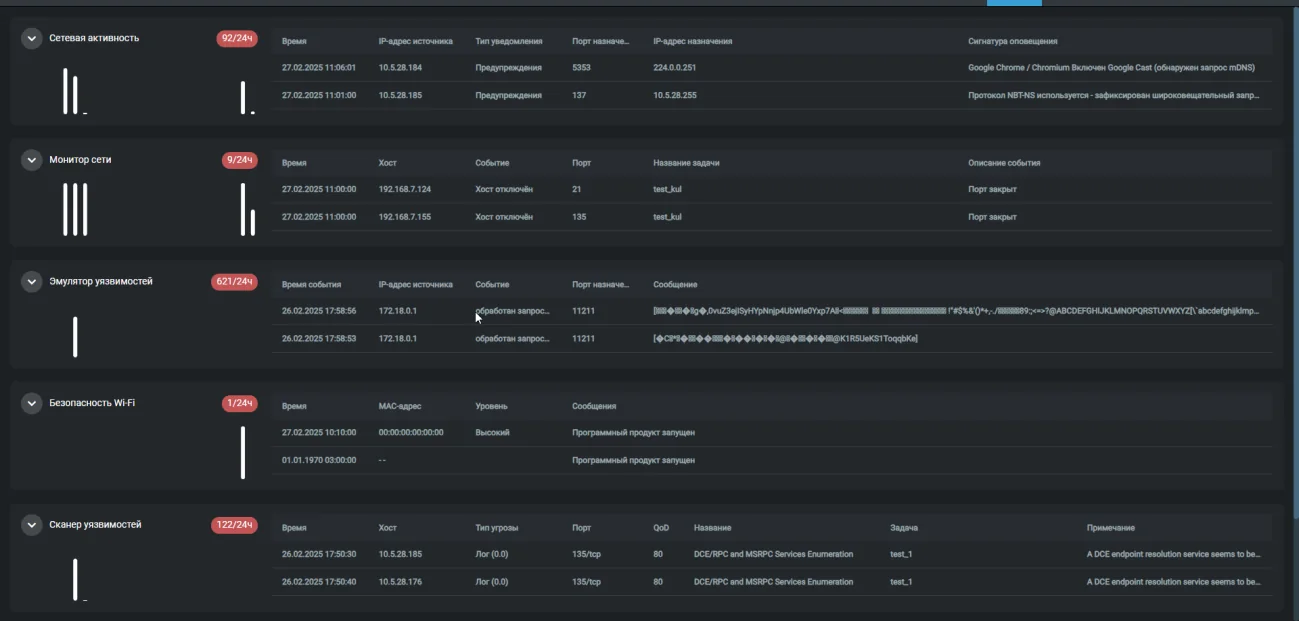
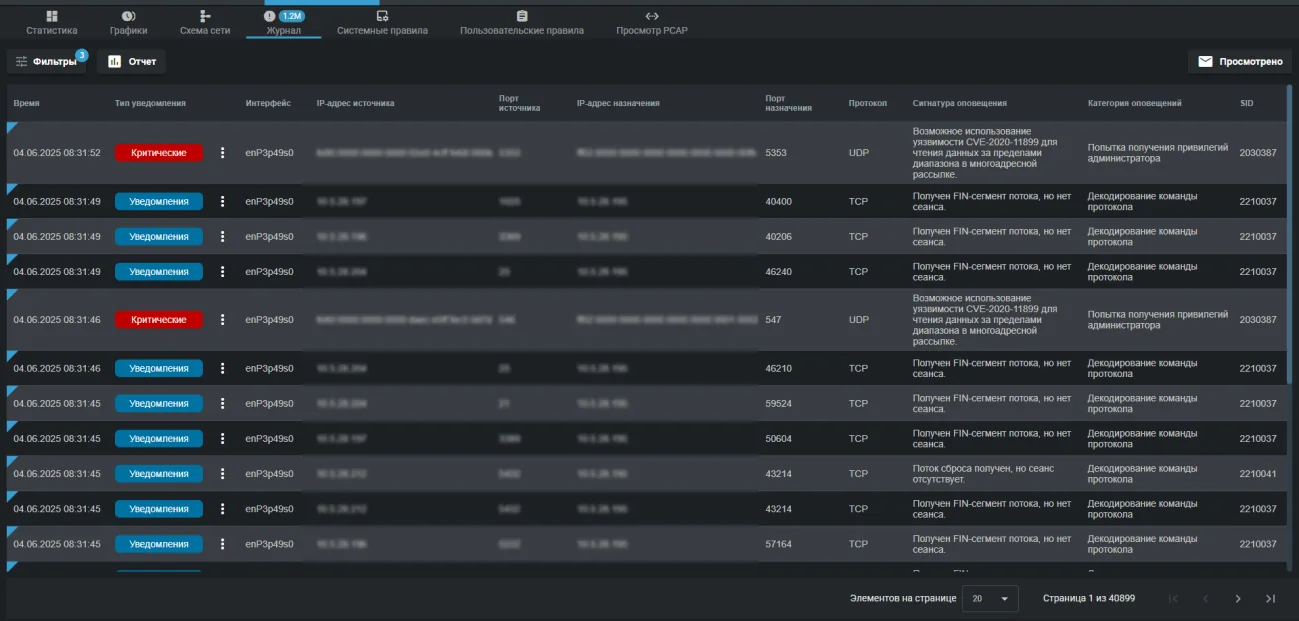
The duty officer does not have to walk through the modules: events from all six over the last 24 hours sit on one screen with unread counters.
From request to a working appliance
Below is the real sequence of work. Nothing in your network needs to be rebuilt, and nothing gets installed on employee computers.
Agree on the scheme
We review the network topology and choose which switch will carry port mirroring and which segment will be used for management.
Enable port mirroring
Your administrator turns on port mirroring on the switch. This is the only change required in the existing network.
Install the device
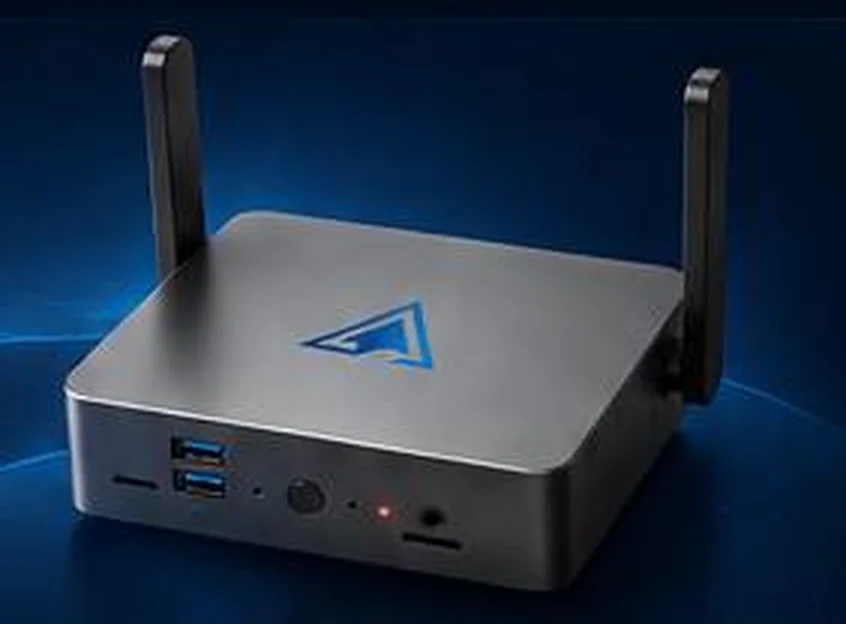
The appliance sits on a desk or a rack shelf, plugs into a 220 V socket and connects with two patch cords to the LAN1 and LAN2 ports.
Start it and hand it over
The software boots in up to five minutes and the web interface opens in a browser. We configure tasks, notifications and SIEM export, and train the duty shift.
It fits into what already runs at your site
The appliance does not ask you to change your monitoring stack. It delivers events to familiar collectors and can write straight to the person on duty.
- Wazuhsyslog and JSON on port 514
- MaxPatrol SIEMcollection over HTTP, JSON format
- Telegramnotifications to the duty shift chat
- EmailSMTP, SMTP TLS and IMAP
- Windowsfile integrity over WinRM and SMB
- Linuxfile integrity over SSH and FTP
We will prepare a quote for your network
Tell us about your infrastructure: how many sites, which switch sits in the core, whether you already run a SIEM. We will pick the edition and the connection scheme, and calculate the cost.
- We reply within one business day
- We design the connection scheme for your topology
- We show the interface on a live demo unit